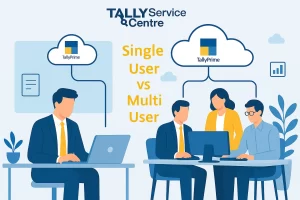

Tally On Cloud has increased user convenience by letting you access your accounts from a remote location using a simple web browser. Here are 5 ways to install Tally on Cloud that you can use through a web browser.
1. Select a trusted third-party Tally Cloud Provider
Choose a trusted third-party tally cloud hosting provider. They will set up, install, and configure Tally on a virtual network. After that, you can access your necessary data through a web portal.
2. Set Up A Self-Managed Cloud Server
You can ask your service provider to create your own Windows server on a cloud platform. Then install Tally over a virtual machine and access it remotely via a browser that gives you access through web apps. This includes cloud platforms like AWS, Azure, or Google Cloud.
3. Download and Install for Remote Desktop Access
Install the Tally application on a cloud-hosted machine. Then use remote access-based services to run Tally on any device with a stable internet connection.
4. Give user access through SaaS
By offering SaaS (Software as a service provider), you can configure user access through the browser without local installation or server maintenance. This provides authorized users with Tally online access from their browsers.
5. Access Tally Online Using Remote Desktop Access
When everything is set up, install Tally through a cloud-hosted machine and then use the browser from it to run Tally from any device that has internet access.
What are the Benefits of Tally on Cloud Installation?

Easy Access:
Use Tally from a remote location, anytime, anywhere
Good Data Security:
Cloud platforms give you enhanced data protection
Easy to collaborate:
Allows a lot of users to work on a certain task at the same time, without losing track of it.
No extra installations or support needed:
No extra need for expensive hardware installations or service-based backup.
Automatic Backup of data:
The data is automatically updated on the cloud without manual help.
If you want to learn more about the benefits of Tally on Cloud installation, you can check out our guide on the Top Benefits of Tally on Cloud in 2025 to gain a clearer understanding.
Conclusion
There are multiple ways of Tally on Cloud installation a web browser – whether it’s through a third-party provider, a self-managed server, or SaaS-based access. However, for a smooth and secure experience, it’s best to choose a trusted method that is recommended. You can also choose from the above-mentioned methods based on what best suits your business needs.
If you’re still facing problems and looking for a secure and professionally managed Tally on Cloud solution, we can help. Contact us today to get access to your accounts on a Web Browser without compromising on performance or security.
FAQs
A: You can access Tally on the cloud using a valid Tally.NET ID as credentials through any web browser.
A: Of course, you can access Tally, but it will be a limited view.
A: A Tally license is essential for gaining access to cloud use. Without the necessary credentials, you cannot log in
A: Yes, Tally On Cloud provides automatic backup with every update
A: Tally on Cloud has different rates with different service providers. It is cheaper to avail of third-party-based cloud services.